 StreetCheat
Road closure alerts
Know about closures before they happen.
StreetCheat watches the drives you make most (home to work, school drop-off, the weekly run to the job site) and tells you when a road closure is in your way, before you leave.

- Free for our first 500 members
- All 50 states
- Rotating shifts
How it works
Set it up once. Hear about it first.
Add a route once
Where from, where to, which days, and what time you leave. On a rotating shift? Pick your pattern.
We check it every hour
Against official closure information from state transportation departments and city and county governments.
You hear about it first
A notification when something is on your way and, if you like, an email summary the evening before.
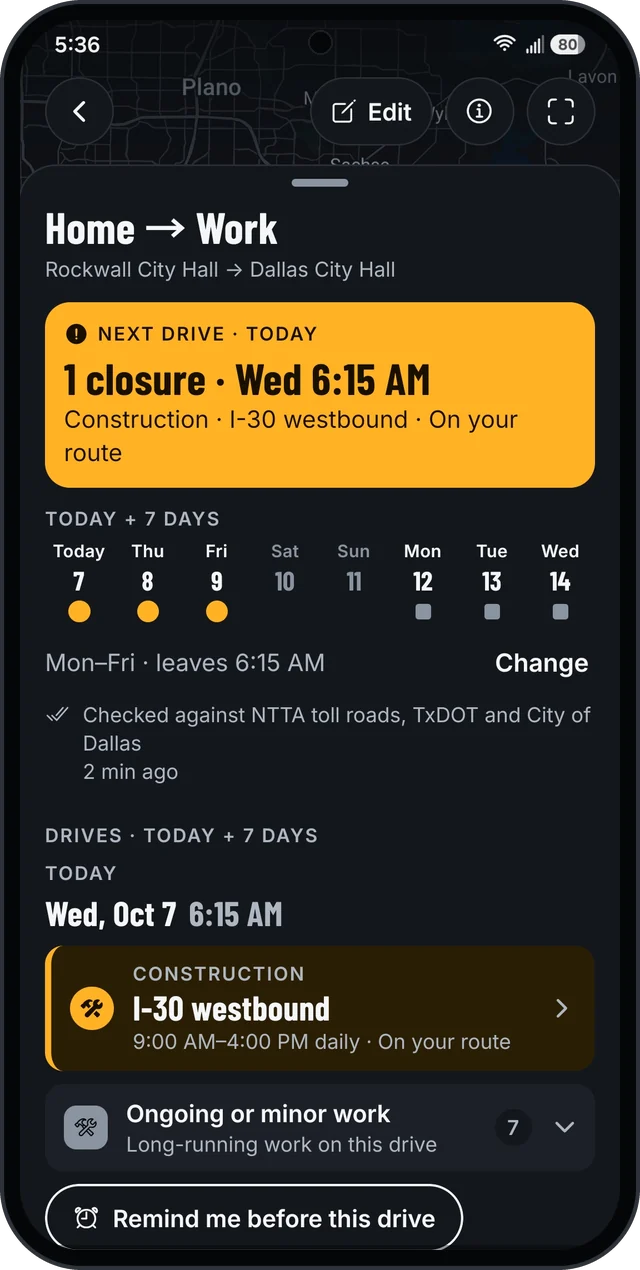
Your next drive
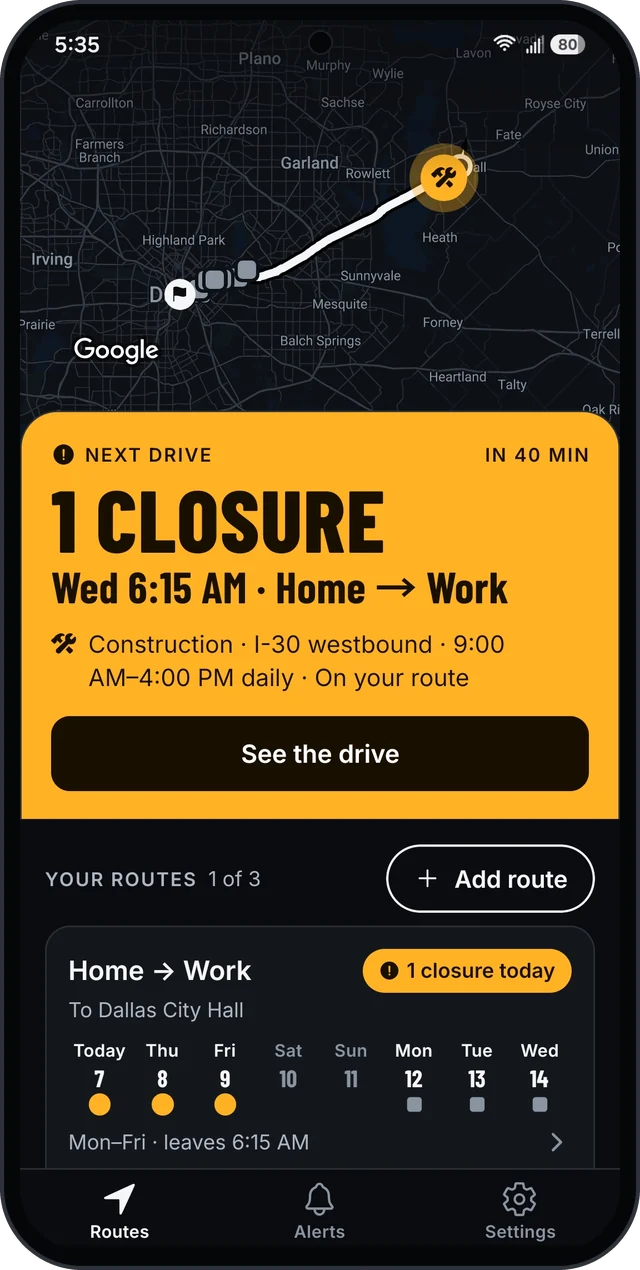
Is your next drive clear?
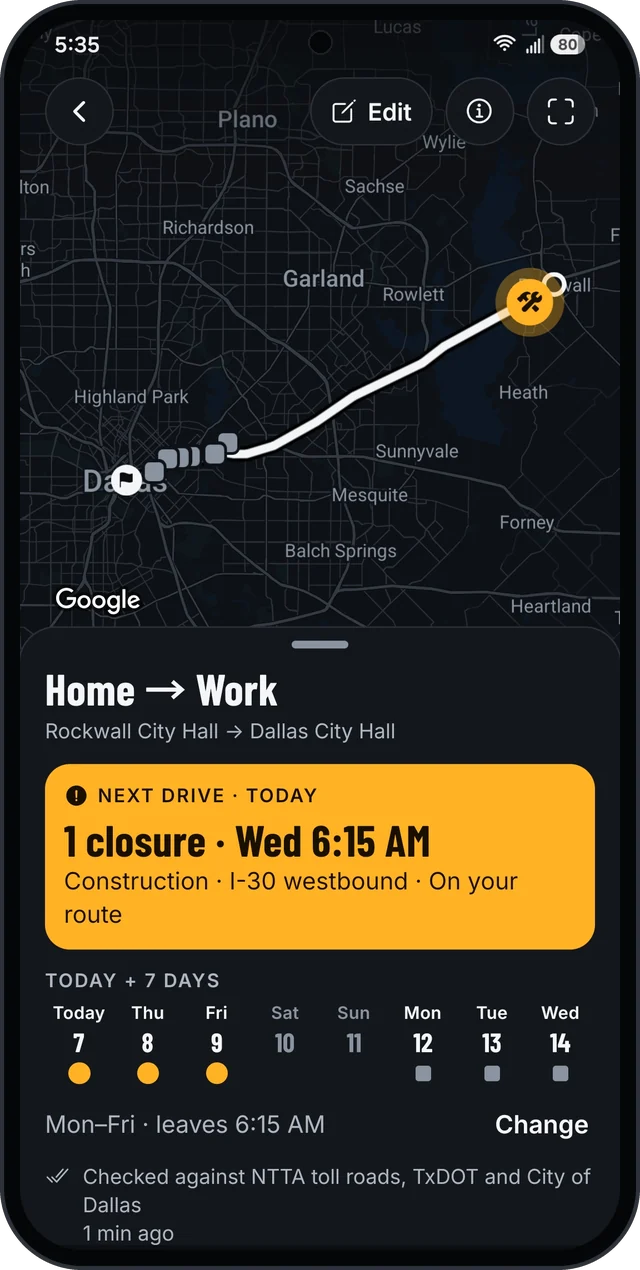
Open StreetCheat and the answer is at the top: your next drive and anything in its way, then the week ahead, day by day.
- Your actual route. Closures on the roads you drive, not every closure in the city.
- Only when you drive. A daytime lane closure won't bother you on a 5 AM commute.
- A way around. See whether an alternate route is clear.
Closure details
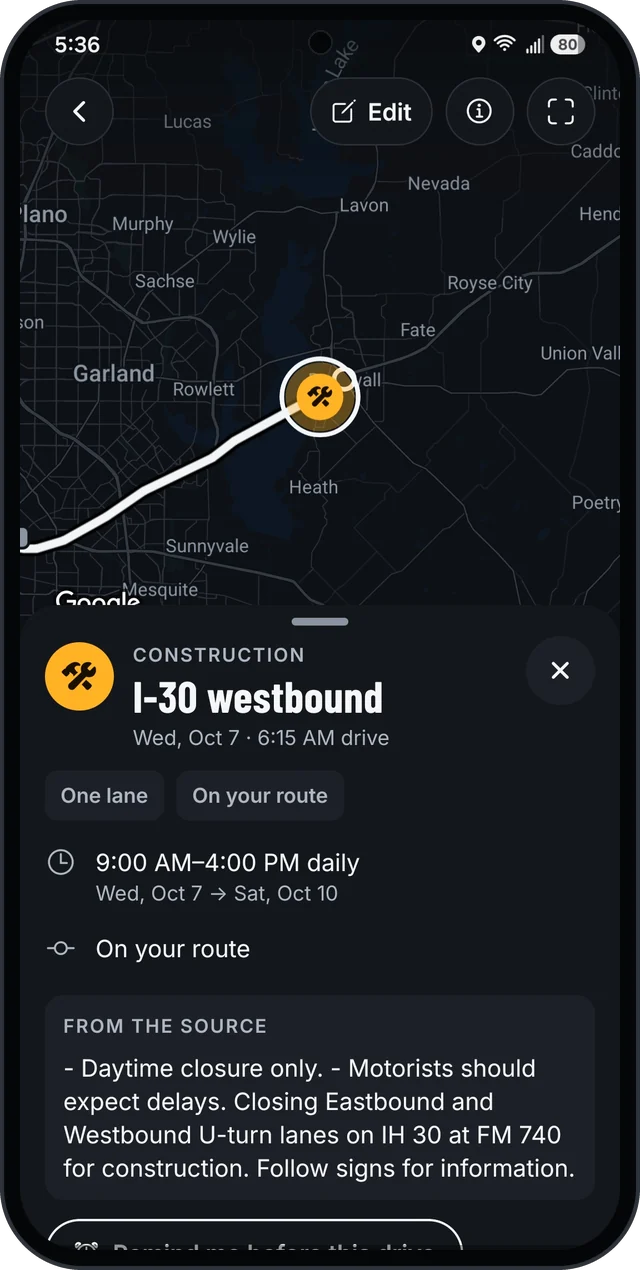
See exactly what's closed
Tap a closure for what it is, which direction, and the days and hours it's in place, with the agency's own notes word for word.
- Straight from the source. State transportation departments and city and county open data. See every source.
- A reminder before you leave. One tap, and StreetCheat nudges you before that drive.
- Word when it changes. Hear when a closure on your drive changes or clears.
Shift work
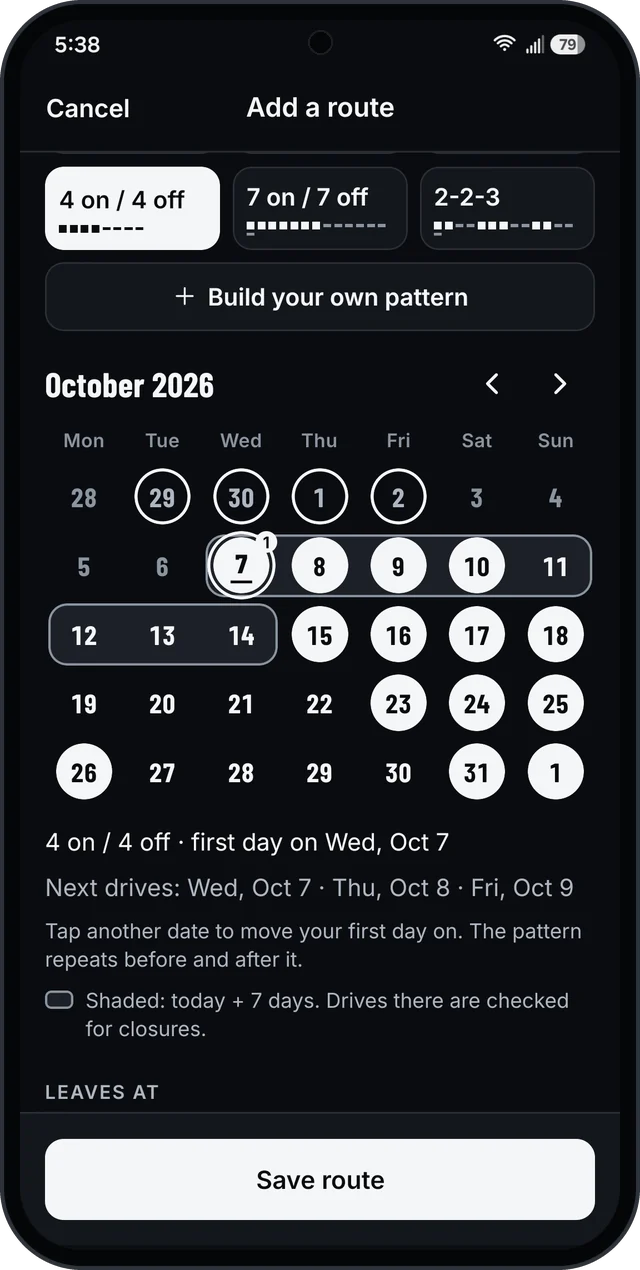
Built for rotating shifts
Pick your pattern, tap your first day on, and StreetCheat knows every drive after that. Made for nurses, first responders and anyone on a rotation.
- Ready-made patterns. From 1 on / 2 off to 7 on / 7 off, plus 2-2-3.
- Or build your own. Any run of days on and days off.
- Regular hours too. Or pick the same days every week, like Monday to Friday.
Alerts
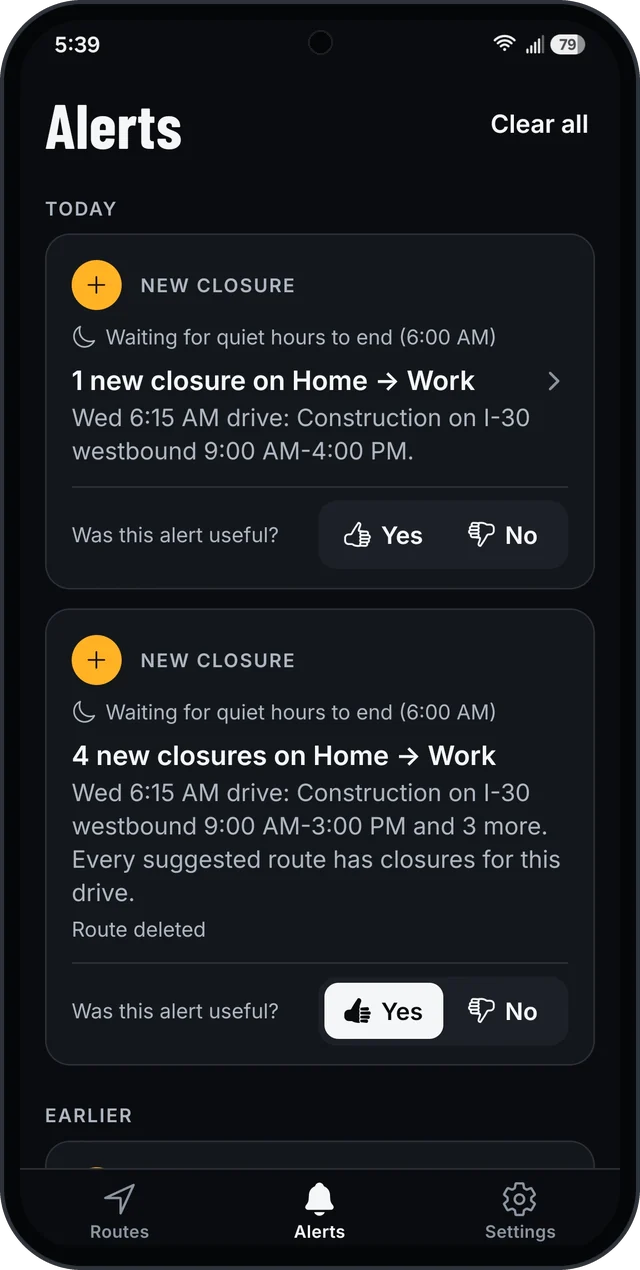
A heads-up, not a flood
You hear about closures on the drives you make, and nothing about the rest of the city.
- Quiet hours. Alerts wait until your quiet hours end. A leaving-soon reminder still gets through.
- The evening before. An email for each route whose next drive has closures, at the time you choose.
- Every Sunday. A week-ahead preview of every drive, even when they're all clear.
Who it's for
For anyone who drives the same roads
Commuters
Home to work and back, checked before you leave.

Shift workers
Rotating schedules built in, from 1 on / 2 off to 7 on / 7 off.

School runs
Drop-off and pickup without the surprise detour.
Contractors and crews
The weekly run to the job site, checked every hour.

Carpools and family
Send a route's alerts to someone who makes the same drive.

Early starts
Closures are matched to the hour you drive, day or night.
Why trust it
Straight answers from official sources
Official sources
State transportation departments and city and county open data. See every source.
Your direction only
A closure on the other side of the highway won't set off an alert.
Private by design
Never your phone's location, only the addresses you type. No ads, no tracking, and we never sell your data.
Not a government app
An independent app that reads public data. Posted signs and the agencies' own announcements always come first.
Where it works
All 50 states and about 400 cities and counties
State highways in all 50 states, plus city and county streets in Los Angeles, New York, Chicago, Houston, Phoenix, Philadelphia, San Antonio, San Diego, Dallas, Austin, Indianapolis, Nashville, Las Vegas, Washington DC, Boston, Miami, Seattle, Denver, Detroit and more than 380 other cities and counties.
Each route shows which sources it's checked against, and tells you plainly when an area isn't covered yet.
See every source →Pricing
Free for our first 500 members
Join early and keep it free. When we add paid plans, our first 500 members keep the free plan, free for good.
$0for our first 500 members
- Up to 3 routes
- Each one checked every hour
- Email alerts to one address per route
On iPhone? Get it on the App Store.
Questions
Good to know
Where does the closure information come from?
From the public data of the agencies that manage the roads: state transportation departments, toll roads, and city and county governments. See the full list, with a link to each one's official data.
Is StreetCheat a government app?
No. StreetCheat is an independent app made by Hantis USA, LLC. It isn't affiliated with, endorsed by or acting for any government agency. Closures can change without notice, so always follow posted signs and the agencies' own announcements.
Does StreetCheat track my location?
No. StreetCheat never uses your phone's location, only the addresses you type. No ads, no tracking, and we never sell your data. Read the privacy policy.
What does it cost?
It's free: up to 3 routes, each with email alerts to one address. When we add paid plans, our first 500 members keep that free plan, free for good.
Is it on iPhone?
Yes. StreetCheat is on the App Store for iPhone and on Google Play for Android.
How do I delete my account?
In the app, open Settings and tap Delete account. Without the app, email [email protected] from the address on your account. More about deleting your account.
More answers on the support page.
Know before you leave
Road closure alerts for the drives you make most.